Users rate the app highly for its convenient shift schedule and clear interface.
A shift schedule app without chaos or confusion
Plan shifts, track hours and earnings, mark leave and sick days, and keep notes in one calendar that feels easy from day one.
- Free on iPhone and Android
- Flexible rotating schedules and custom shift patterns
- Hours, pay and monthly report tracking built in

A shift calendar built for real rotating work, not for standard office weeks.
170k+
downloads
15k+
active users
4.8
rating on iOS and Android
Tens of thousands of shift workers already use the app to manage their schedule.
Thousands of users open the app every month to quickly check their shifts and schedule.
About the app
When your schedule keeps changing, you need a calendar that works for you
My Calendar is built for people who work shifts and are tired of keeping everything in their head. Instead of scattered notes and messages, you get one clear view of workdays, days off, leave, sick days, and side jobs.
The app helps you do more than build a 2-on-2-off or other repeating schedule. It helps you manage your time, see when you can rest, track how much you worked, and understand how much you earned each month.
The problem
Rotating schedules are hard to track when your days off, overtime and pay all live in different places.
The solution
Create the shift pattern once, mark what changes, and keep work, leave and notes in the same calendar view.
The result
You get less confusion, a clearer schedule for the months ahead, and better control over earnings, time off, and workload.

Features
Built around what shift workers actually need every day
The app focuses on practical jobs-to-be-done: know your next shift, track what you worked, and understand what you earned.
2-on-2-off, 1-on-3-off, and custom schedules
Set up common patterns fast or create your own rotating schedule if your work cycle is more complex.
Hours, overtime and earnings tracking
Log worked time, shift pay and overtime so you can see what each day and month actually adds up to.
Leave, sick days and daily notes
Mark vacation, sick leave, days off, side jobs, and important notes in the same calendar.
Monthly earnings reports
Review work hours and earnings month by month to spot workload patterns and plan ahead.
Who it is for
For people whose work does not fit a standard schedule
Nurses and healthcare staff
Keep day shifts, night shifts, leave and recovery days visible at a glance.
Security teams and first responders
Track long rotating cycles such as 1-on-3-off or 24-hour schedules without confusion.
Retail and warehouse workers
See your schedule, side shifts, and expected pay in one place on your phone.
Manufacturing and logistics staff
Adapt the calendar to repeating or custom shift structures used by operational teams.
Transport and delivery teams
Useful for drivers, couriers and anyone whose shifts depend on routes, dispatches and changing demand.
Service businesses
A good fit for salons, hotels, restaurants and other teams working with flexible or changing schedules.
Screenshots
Everything important in one app
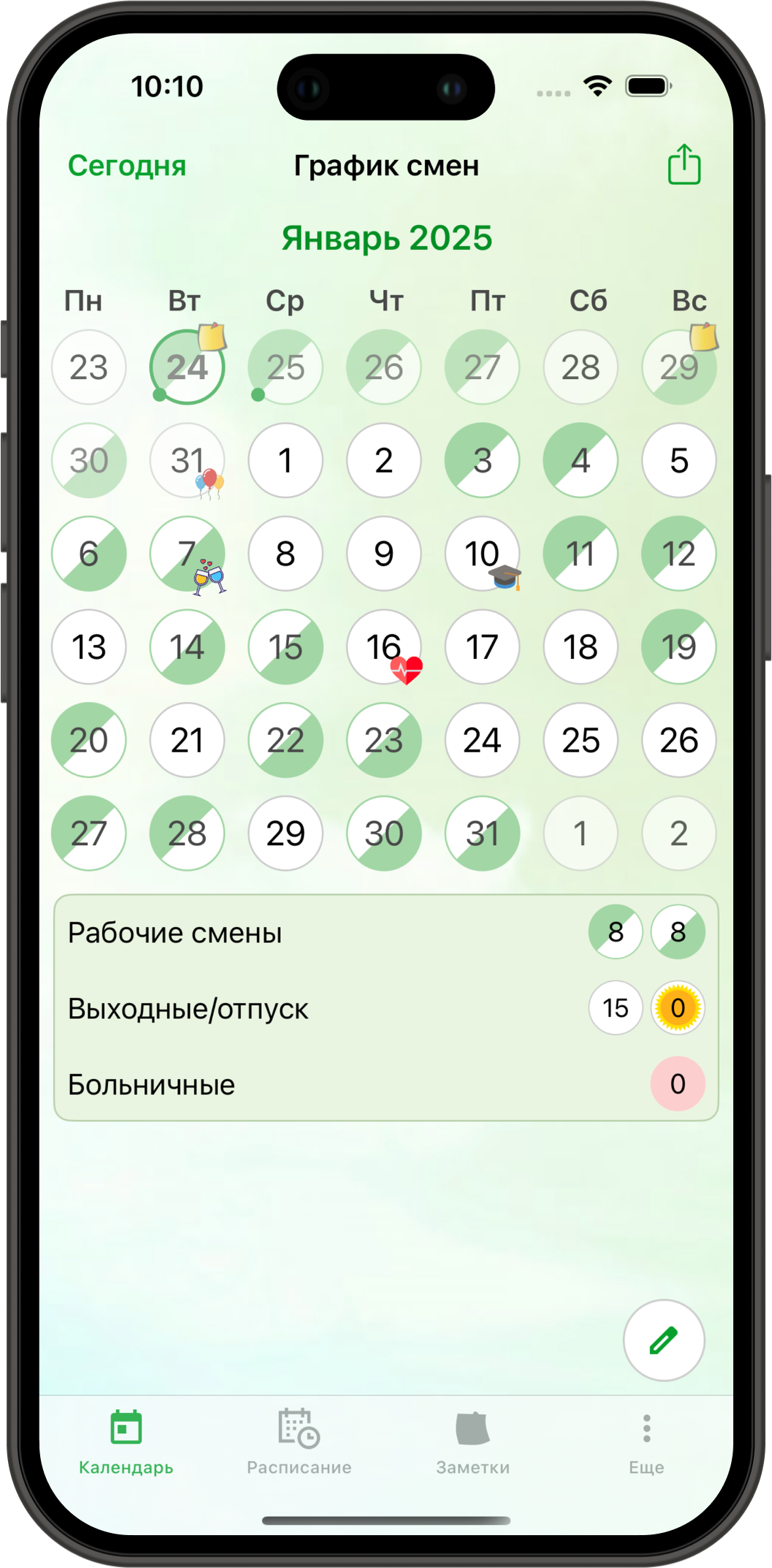
Shift overview
See workdays, days off, and the structure of your month at a glance.
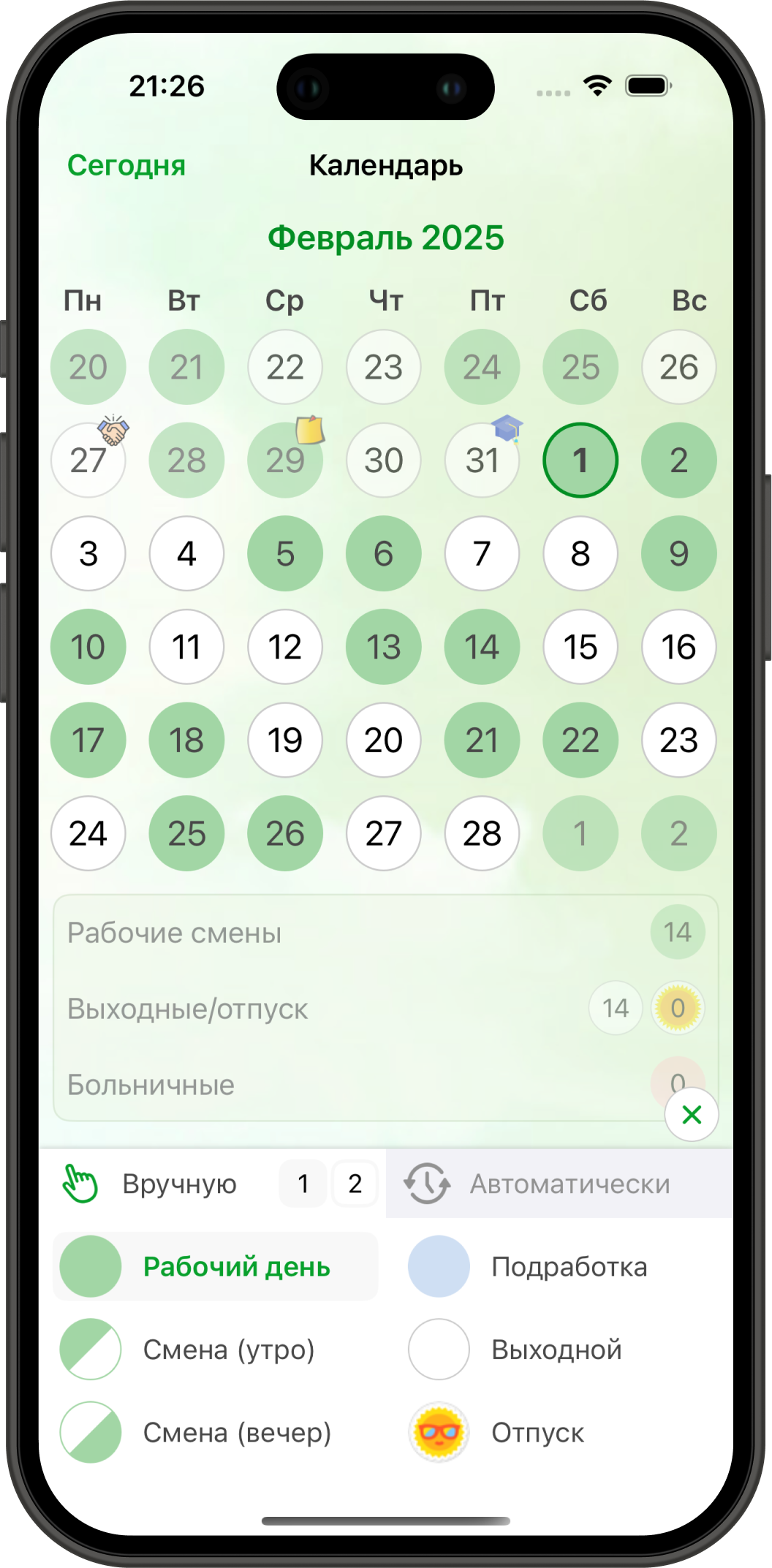
Set up shifts manually
Works well for 2-on-2-off, 1-on-3-off, and other repeating shift patterns.
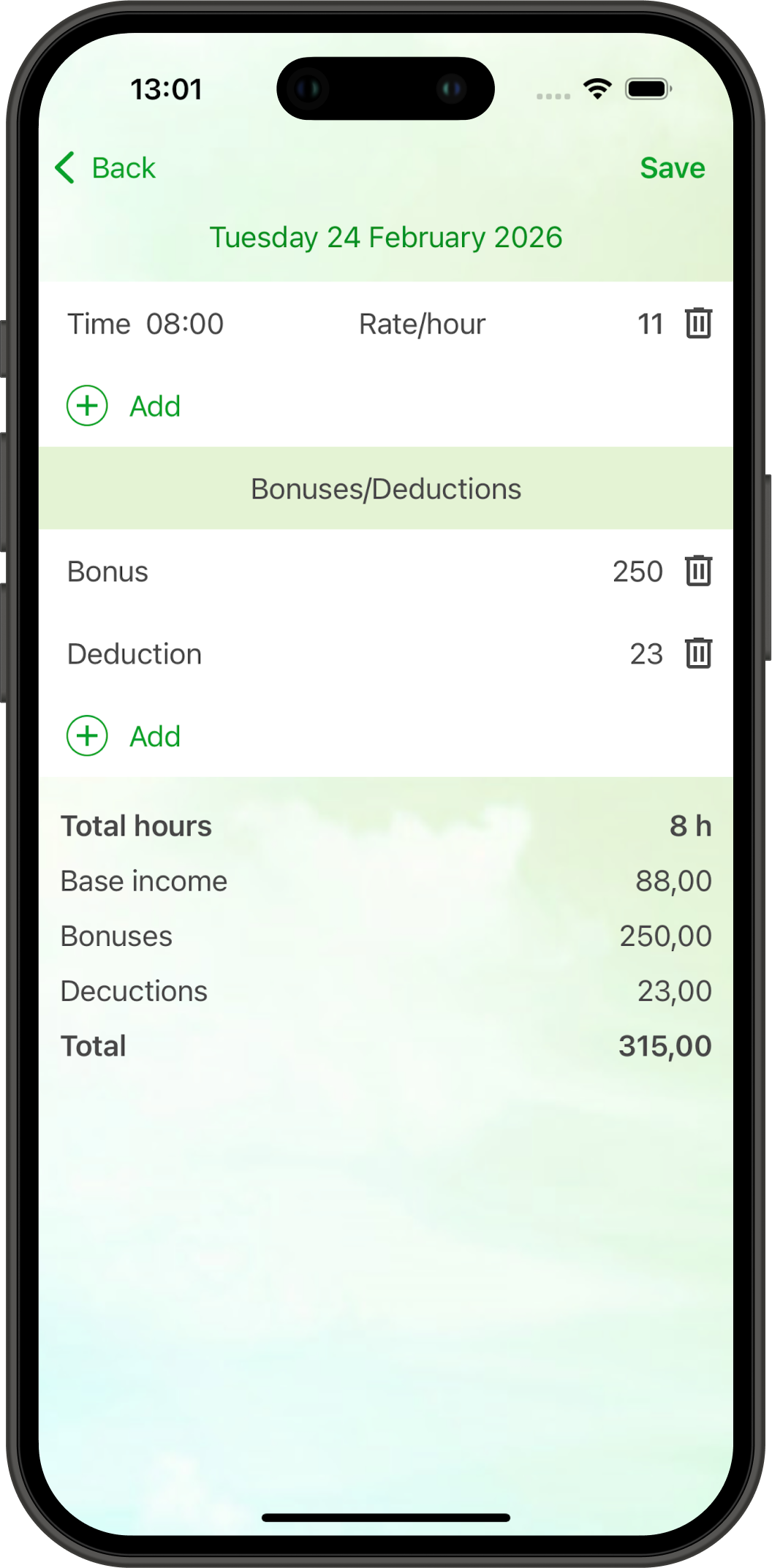
Hours and pay per shift
Track what happened on a specific day without leaving the calendar context.
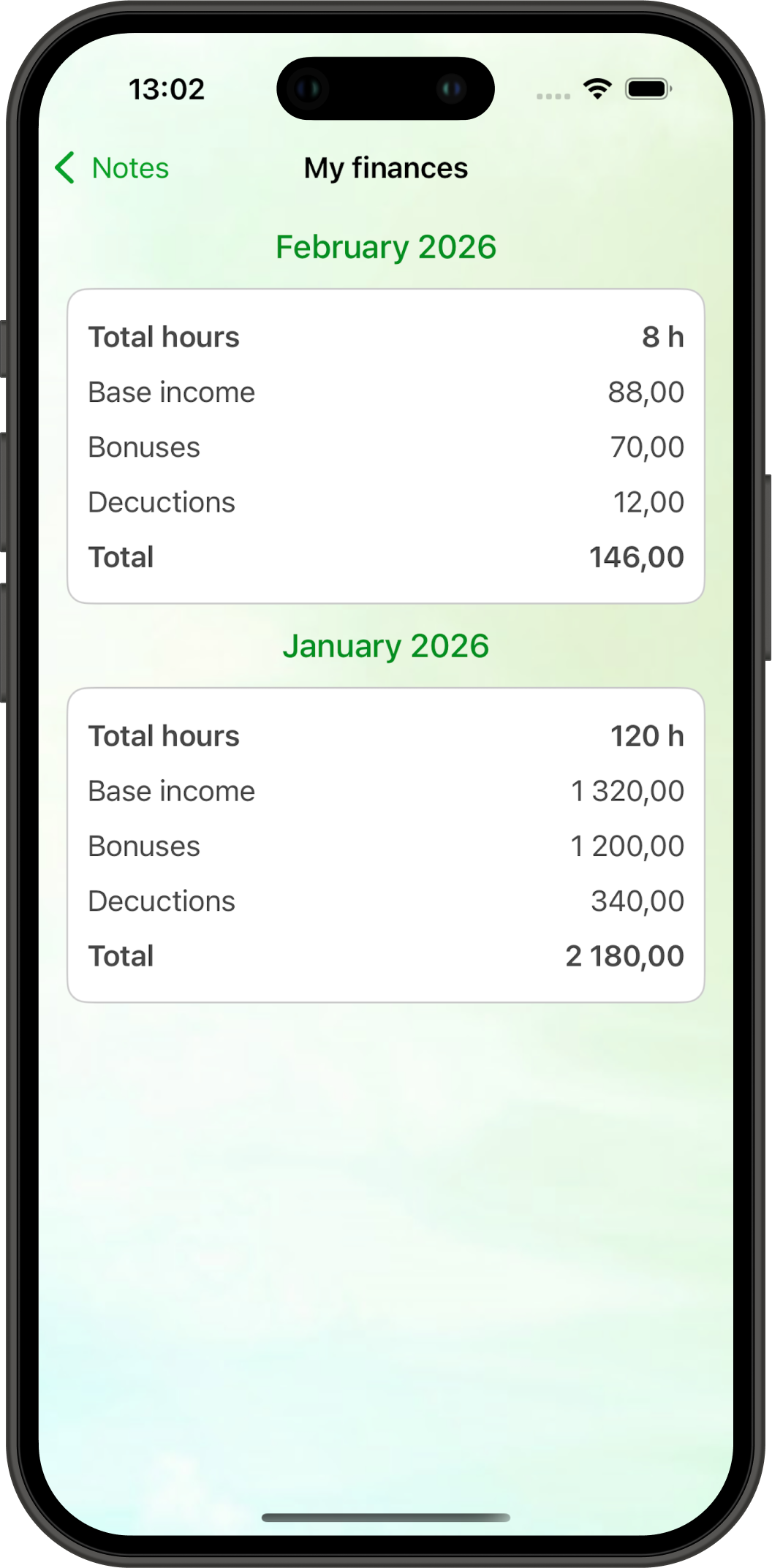
Monthly earnings report
See your totals, compare months, and plan your budget more clearly.
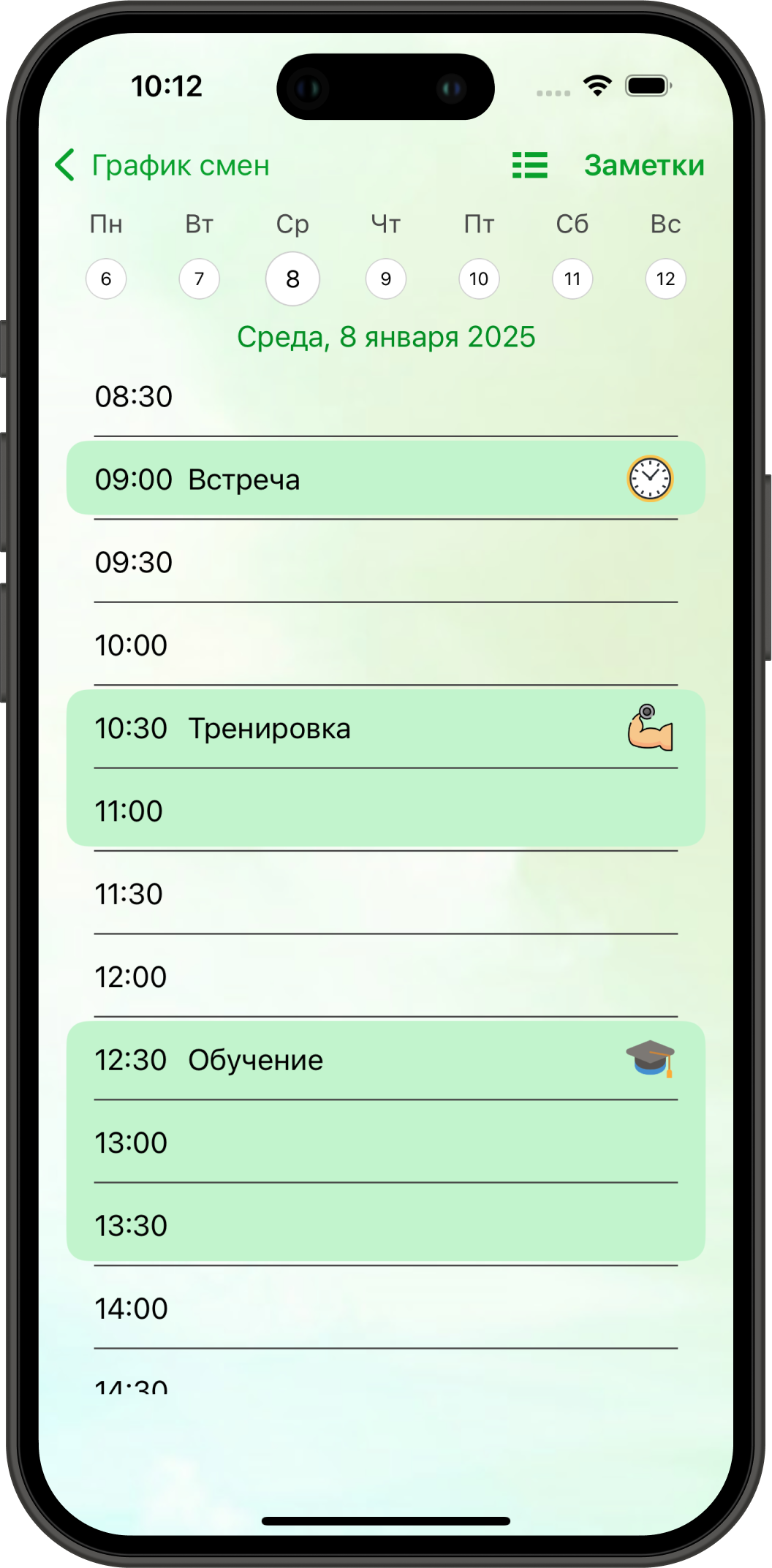
Daily schedule
See what is planned for the day and keep the important details close at hand.
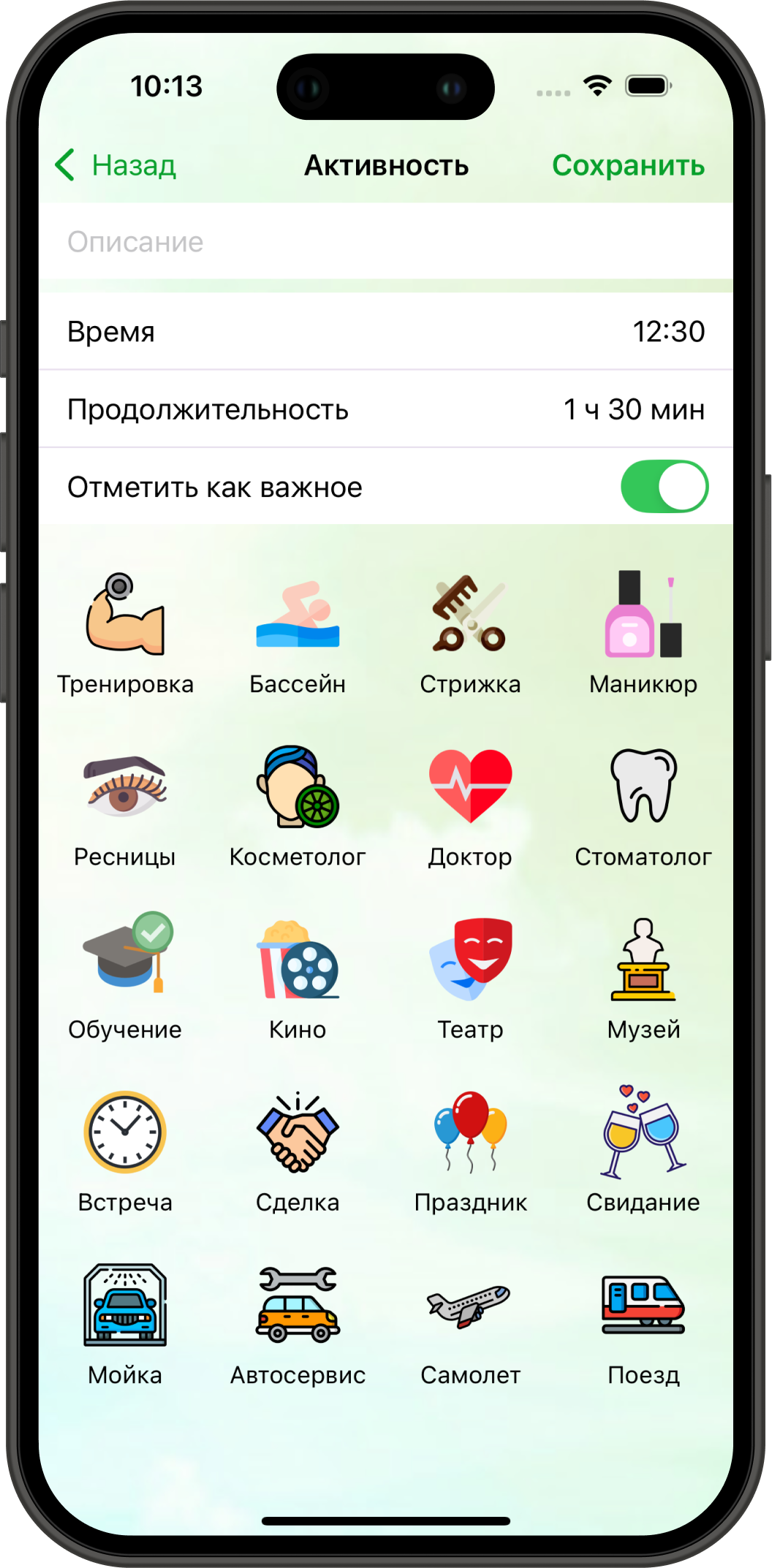
Quick event entry
Add an event in a few taps and keep the important details with the right date.
FAQ
Questions users ask before they install
Can I track 2-on-2-off shifts and custom rotating schedules?
Yes. My Calendar supports common shift patterns and gives you enough flexibility to build custom cycles.
Can I track work hours, overtime and earnings?
Yes. You can log hours, estimate pay per shift and review monthly totals inside the app.
Can I mark vacation, sick leave, and days off?
Yes. You can mark vacation, sick days, days off, extra shifts, and other day types in one calendar.
Is it useful for healthcare, retail, security and warehouse work?
Yes. The app is designed for anyone who works on a repeating or custom shift rotation.
Download free
Stop guessing your next shift and start seeing the full picture
If your work pattern changes, repeats in cycles or makes pay hard to follow, My Calendar gives you a calmer and clearer way to manage it.
Contact
Questions, ideas or feedback about the app?
Send us a message. If something is missing for your way of working, this is the fastest way to tell us what should improve next.
- Questions about how the app works
- Feature suggestions and edge cases
- Feedback about UX and localization